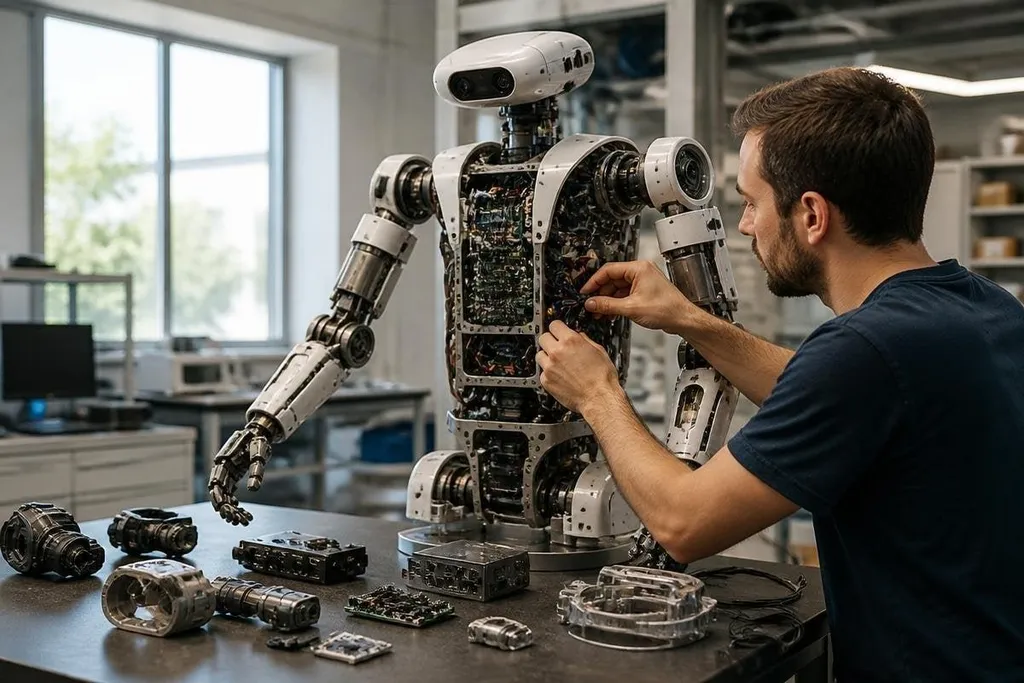
A robot can look simple from the outside, yet its work depends on several systems running together. Motors move it, sensors tell it what surrounds it, and software turns those readings into action. The right parts depend on the job, so a warehouse arm and a delivery robot won't share the same layout.
- Motion: motors, gearboxes, joints, wheels, or tracks turn commands into movement.
- Sensing: cameras, force sensors, encoders, and LiDAR help the robot measure its surroundings.
- Control: computers and software decide what to do, then check whether the movement worked.
The frame and moving parts
The frame holds the robot together and carries loads from one part to another. It may be a fixed base, a mobile chassis, a legged body, or an arm made from linked sections. Materials, shape, and weight affect how much the robot can carry and how much power it needs.
Actuators create motion. An actuator can be an electric motor, a hydraulic cylinder, or a pneumatic device that uses compressed air. Motors often work with gearboxes, which trade speed for turning force. That force is called torque.
Joints and wheel drives also need position feedback. An encoder measures how far a motor or joint has turned, letting the control software compare the intended position with the actual one. Without that check, a robot can push too far, stop short, or lose track of its arm position.
The end of a robot arm has an end effector, the part that touches the work. A gripper may hold a box, while a tool may weld, cut, inspect, or place a part. The end effector often decides whether the robot can do a task at all.
Power and computing
A battery supplies energy in mobile robots. A fixed robot may draw power from a wall connection or factory supply. The power system also includes regulators, wiring, switches, and protection parts that send the right voltage to motors, sensors, and computers.
Battery size affects weight, working time, and charge time. A larger battery can keep a robot running longer, but it also adds mass for the motors to carry. Heat matters too. Motors, processors, and power electronics can lose performance when they run hot, so many robots use fans, heat sinks, or liquid cooling.
The computer reads sensor data and sends commands to the actuators. Some robots keep time-sensitive control close to the motors, while a separate computer handles maps, vision, or task planning.
The software may run on a local computer, a robot controller, or a remote server, depending on the task and network connection.
A sensor claim matters when the robot uses it during a task and the result is recorded, rather than sitting in a parts list. Robot24.com robotics coverage can tie that claim to a named machine, work site, and result before the next section looks at sensors and control software.
Sensors and control software
Sensors give the robot information about its body and surroundings. Cameras can support object recognition. LiDAR measures distance with laser pulses. Inertial sensors track changes in movement, while force sensors measure contact at a joint or gripper.
No sensor gives a perfect view. A camera can struggle with poor light, LiDAR can have trouble with some surfaces, and force readings can change when a tool touches an object at an angle. Software combines readings from several sensors to build a more useful estimate of position and movement.
Control software turns that estimate into commands. It may keep a wheel speed steady, move an arm along a path, or stop the robot after contact. Safety logic can limit speed, cut motor power, or stop a task when a sensor reports a blocked path.
I’d judge a robot by how well these parts work together, not by the number of sensors listed on its product page. A camera adds little if the software cannot use its images during the task.
What to check before buying
The parts that matter change with the job. Use this checklist before comparing robot models:
- Name the task: write down the object, movement, work area, and required cycle.
- Check the payload: include the tool, cable, and object, not only the object itself.
- Measure the workspace: record reach, floor area, door width, surface type, and obstacles.
- Ask about service: check battery replacement, motor access, software updates, and spare parts.
- Test the safety setup: find the emergency stop, speed limits, protective sensors, and restart procedure.
A robot is ready for useful work when its frame, actuators, power system, sensors, computer, and software match the task. The practical test is simple: can it repeat the required movement, with the required load, in the real space, for the time you need? If that answer is still unproven, the parts list is not enough to justify the purchase.